


Email addresses are usually structured as “firstname.surname“@“hs-nordhausen.de”. In addition, some organisational units have functional mailboxes.
The Outlook Web App (OWA), which can be accessed via the quick links on the website, allows you to access your emails from home or whilst on the move, with full Outlook functionality. Please ensure that you only use devices provided by the university for this purpose. Only these can guarantee the highest level of technical security and minimise the risk of malicious external attacks. Further important information on the subject of email is also available on the intranet on Moodle under the „Email“ tab in the Media Centre.
If you are away on holiday, sick leave, training courses, etc., please set up the out-of-office assistant for incoming emails and enter a brief out-of-office message. This will ensure that external and internal contacts do not have to wait unnecessarily for your reply whilst you are away. In the Microsoft Outlook email programme, you can set this up via: File\Info\Automatic Replies.
The email must clearly identify the sender and the sending department by means of an email signature. As part of our corporate identity, the university provides a standardised email signature for all staff. You can find a template and detailed instructions on how to create the signature in the Moodle section of the intranet.
As a member of the university, you have access to the „DFN-Cloud“ cloud storage service, which is based on the „Nextcloud“ product. The cloud allows you to store data centrally via various access methods, synchronise it across multiple devices, and share it with other users. You can access the service via a web interface, and you also have the option of setting up a local client via the Media Centre.
HintSensitive data worthy of protection should be Not via the cloud be organised.
During your work, you will often have to deal with personal data. Nordhausen University of Applied Sciences is obliged to implement the legal requirements of the General Data Protection Regulation (GDPR) and the Thuringian Data Protection Act (ThürDSG) and to guarantee data protection.
Please adhere to internal guidelines in the course of your work and ensure that you comply with the principles of the GDPR when collecting and processing personal data. Further information is available in our privacy policy in the Moodle intranet section and from the Data Protection Officer.
If unauthorised persons gain access to data, resulting in a breach of personal data protection, this is referred to as a data protection incident. Examples include the loss or theft of data storage media, hacker attacks, malware or phishing, the unwitting or inadvertent publication of personal data on the internet, unauthorised access to data within a closed system, the misuse of access rights, the sending of unencrypted emails or the misrouting of emails.
If you discover that a data breach has occurred, please report the incident immediately to , in order to ensure compliance with the legal deadlines (72 hours) for reporting to the supervisory authority.
To use the digital printing and copying system, you will need your Thoska or a guest copy card. The corresponding cost centre is stored on the card, which is then used to settle the costs for a printing or copying process.
If you are involved in teaching, you will find relevant information on digital teaching – such as introductory workshops, lectures, tips and explanations – in the Digital Teaching Knowledge Pool on the Moodle learning platform. Further information, including Tutorials are available on the website under Service. As a teacher, you can find your courses on Moodle. There you can, for example, make materials available, coordinate your appointments and see which students are enrolled in your course.
The Moodle learning platform You can access this via the quick links on the website. You log in to the platform using your username and password, just as you do for the university’s other systems. We use BigBlueButton (BBB) as our video conferencing platform; see also the section on instructions for the telephone system and setting up call forwarding: Virtual Rooms (BBB).
If you have any questions about e-learning, please contact the e-team.
Contact: e-Team,
The intranet is the internal network of Nordhausen University of Applied Sciences. It provides information on university operations, such as templates, application forms, minutes, guidelines, photos of events, etc., organised into various categories. You can access the intranet section on Moodle via the quick links on the website. To access it, you will need a personal username and password, which you will receive from the Media Centre when you start work.
You have access to different drives on your computer. Each member of the university has a personal drive to which no one else has access. There are also other drives that can usually only be accessed by the respective team members or a project group. There is also the „everyone“ drive, which is available to all university staff.
The Media Centre is the central facility responsible for the IT infrastructure of Nordhausen University of Applied Sciences. Its tasks include
Office computers are provided with standard software. If you require additional programs, please contact the media centre.
About the „Standing Working Group Software (SAGS)“ a wide range of programmes are available to you within the framework of state licences at Thuringian universities.
The university’s business telephone numbers are formatted as follows: +49 3631 420-extension. You will find your personal extension on the left-hand side of the telephone display.
The direct dial numbers of all staff members can be found, where available, in the contact directory on the university’s website. If you wish to make external calls, you must dial „0“ before the telephone number. Via the OpenScape UC Web Client, you can access your call logs, the phone book, etc. via your web browser. You can also set up call forwarding here.
Instructions for the telephone system and setting up call forwarding can be found in the corresponding section of the intranet on Moodle (after registration).
Within the university context, you can create virtual rooms within Moodle courses. You have the option of sharing rooms with external parties using the webconf server (BBB = BigBlueButton). It is also possible to select virtual video backgrounds in the university's branding.
Standard templates for letters, presentations, etc. can be found in the Moodle section of the intranet.
At our Internet address hs-nordhausen.de you can find out interesting facts about Nordhausen University of Applied Sciences and all its institutions, study programmes, current information, events and much more.
If you would like to have content published on the university website yourself, please contact the Department of University Communication and Marketing (HoKoMa).
At our university you can use the WLAN (eduroam), which is available free of charge to members of universities and research institutions throughout Germany. Important information and instructions can also be found in the intranet area of Moodle under the keyword WLAN/Internet.
You are currently viewing a placeholder content from Instagram. To access the actual content, click the button below. Please note that doing so will share data with third-party providers.
More InformationYou are currently viewing a placeholder content from YouTube. To access the actual content, click the button below. Please note that doing so will share data with third-party providers.
More Information


Study Service Centre
+49 3631 420-222
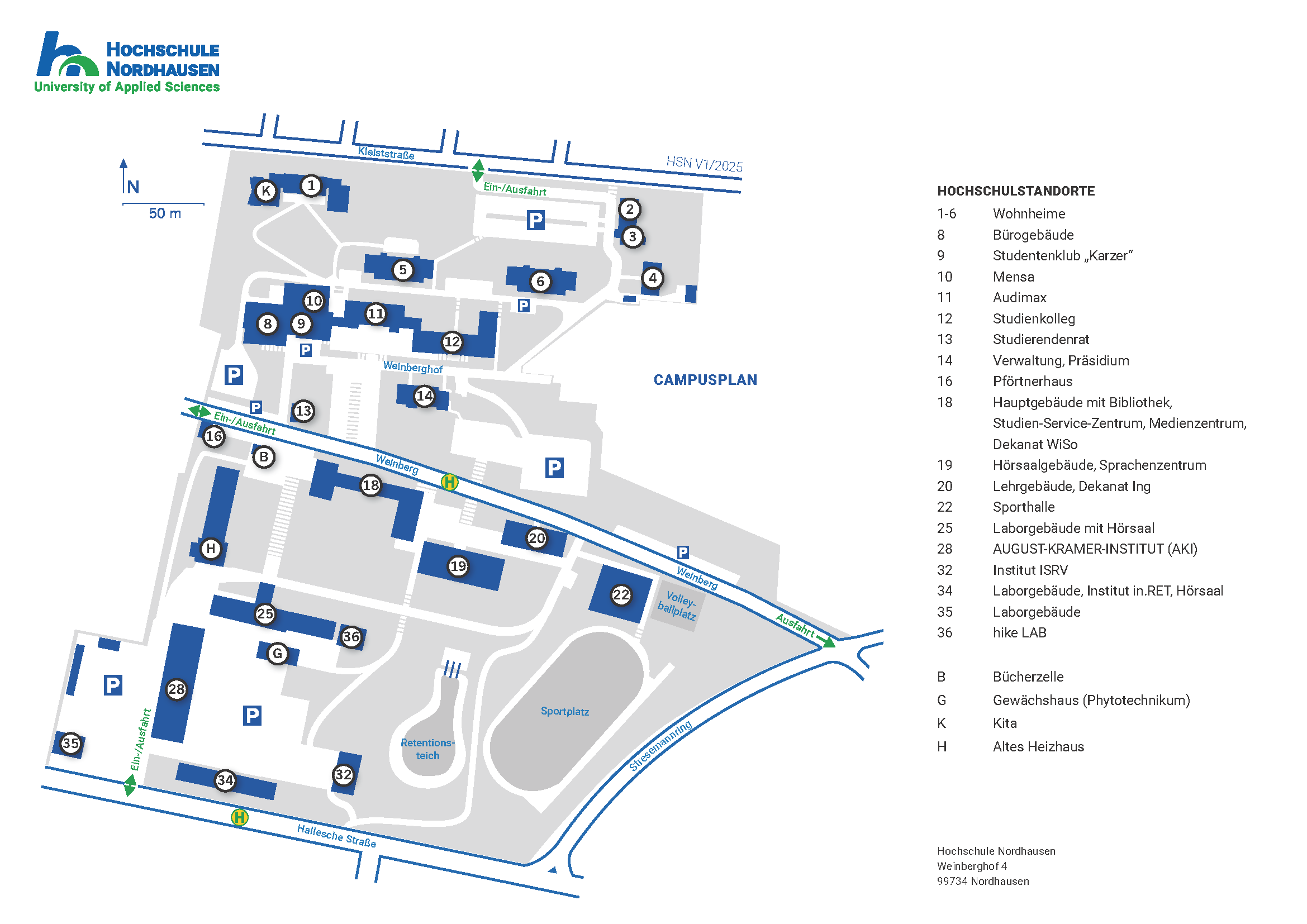
House 18, Level 1, Room 18.0105